Meals, peptides, workouts, sleep, your dog, your budget, your dates and more — track all of them with one AI-powered app that tells you what connects.
Works on iPhone, iPad, and Android phones and tablets.
Your whole life is worth tracking
Nothing in your life is outside your health. Work, money, family, stress — if it happens in your life, it happens to your health. Health is not a department; it’s the whole picture. KeeperPal keeps it in one place, shows you how it connects, and hands you back control.
Why we built KeeperPal
One of our cofounders was diagnosed with stage 3 fatty liver. Six months later the scan came back clean, and nobody at the hospital asked how he had done it. He knew anyway, because he had kept the record himself — every meal, every lab result, every weigh-in, in one place instead of five apps that never talk to each other. That record is what showed him:
Which weeks moved the numbers
Which ones did nothing
What was going on around him each time the line changed direction
Stop guessing. Start knowing.
If you’re young
Don’t wait for a problem
Start before something is wrong. What you can see, you can change — and the earlier the record begins, the more it is worth later.
If you’re older
Staying well is a gift to those you love
Staying as well as you can, for as long as you can, spares the people who love you the worry — they already carry enough of their own.
If you have a condition
Don’t let it get worse. Take control.
A diagnosis is not the end of the story. Keep the labs, the doses and the doctors in one place, and see which way the line is going while you can still bend it.
Everything you keep, in one record
Sleep
Meals
Workouts
Pet care
Reading
Anything else you track
Streak
Bronze
Silver
Gold
Platinum
Four streak tiers to earn, Bronze through Platinum. Every consecutive day you log moves the medal up.
Start with what matters most to your life
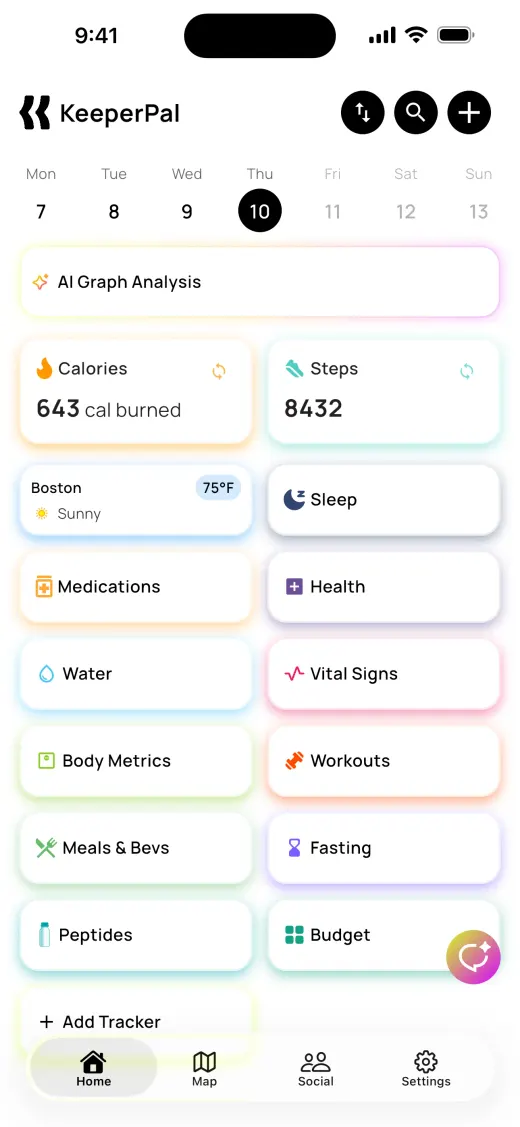
The trackers are already there when you open the app, and none of them are templates you have to assemble. Each has its own screen and its own fields — and all of it talks to the rest of your data.
Meals & Bevs
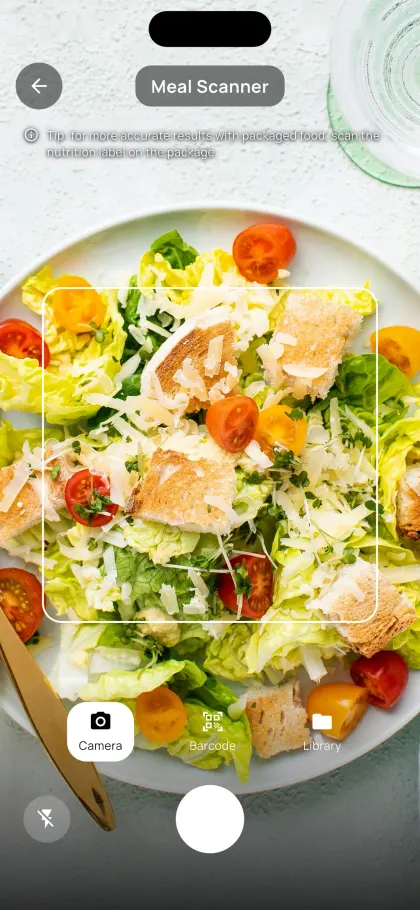
Photograph a plate and AI names each food and its portion, scan a barcode, or search the food database — and correct it in a sentence if it reads the plate wrong. Nineteen nutrients per log, from calories and macros down to iron and vitamin D. Save your own foods and full recipes.
Peptides
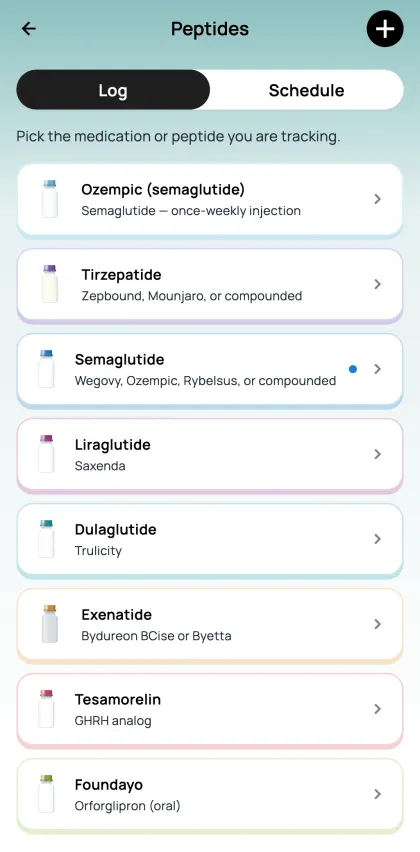
Built for GLP-1s and growth-hormone peptides — semaglutide, tirzepatide, liraglutide, dulaglutide, exenatide, tesamorelin. Every dose with its injection site and a 0–10 site reaction. Alongside it: daily symptoms, body composition, and lab work read against the targets that matter for the protocol.
Workouts
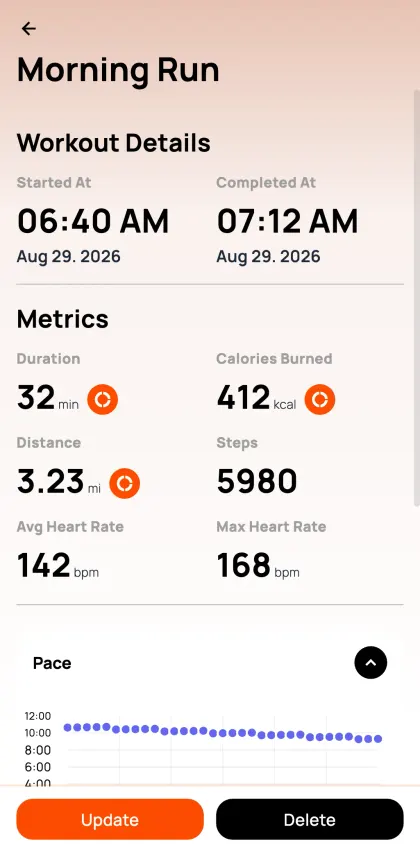
Sets, reps, weight, distance, rest, pace, heart rate and a 1–10 intensity. Start a live GPS session with a saved route drawn on the map and watch your own line trace over it, or work from the exercise library. Calories come from MET values rather than a flat guess.
Sleep
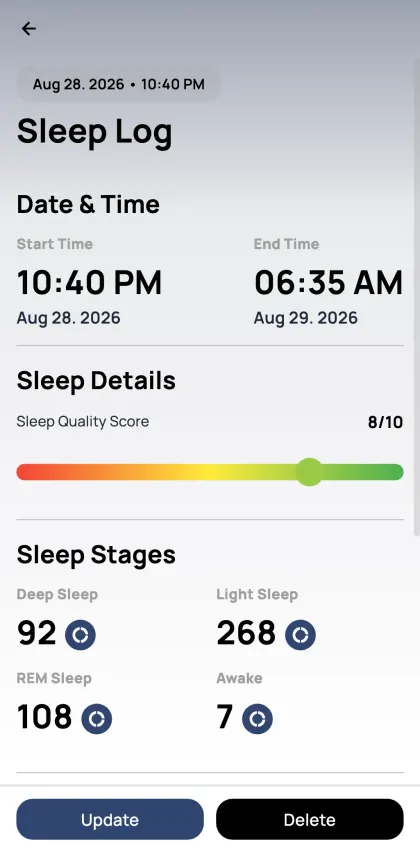
Duration, a 1–10 quality score, and deep, light and REM stages pulled in from Apple Health or Health Connect. Start a live session and log every waking in two taps — what woke you, and how badly on a 1–10 scale. Set a goal for each stage, and bedtime and wake-up reminders separately.
Steps
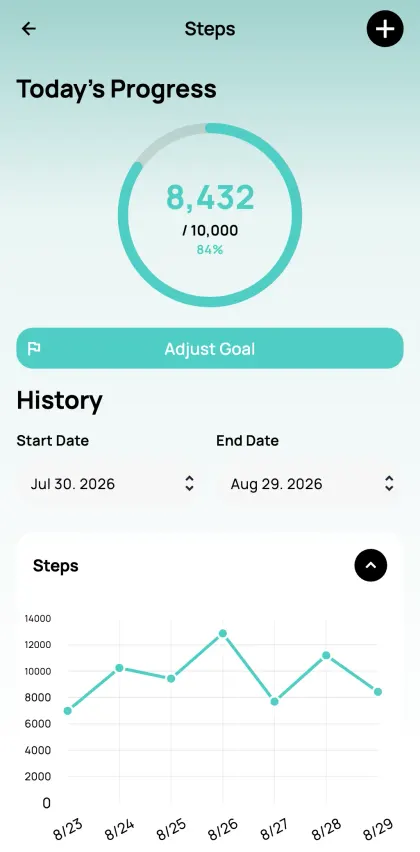
Your daily count from Apple Health or Health Connect, kept current in the background and back-corrected up to a year, so a watch that syncs late never leaves a hole. Goal ring, weekly and monthly totals, and it feeds the Calories tracker.
Calories
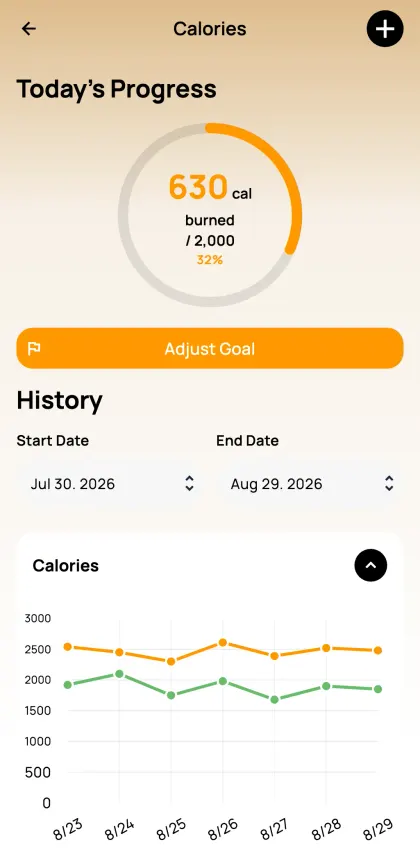
Consumed against burned, and the net figure. Built from your meals, workouts and steps rather than typed in a second time, with thirty days of both lines on one chart.
Water
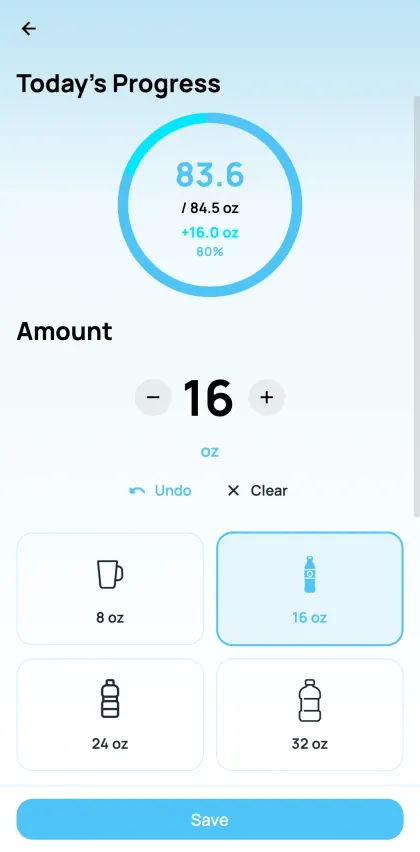
Four one-tap sizes that stack as you tap — 8, 16, 24 and 32 oz. Note whether it was cold, room temperature or hot if that matters to you. Drinks already logged in Apple Health or Health Connect come in on their own.
Medications
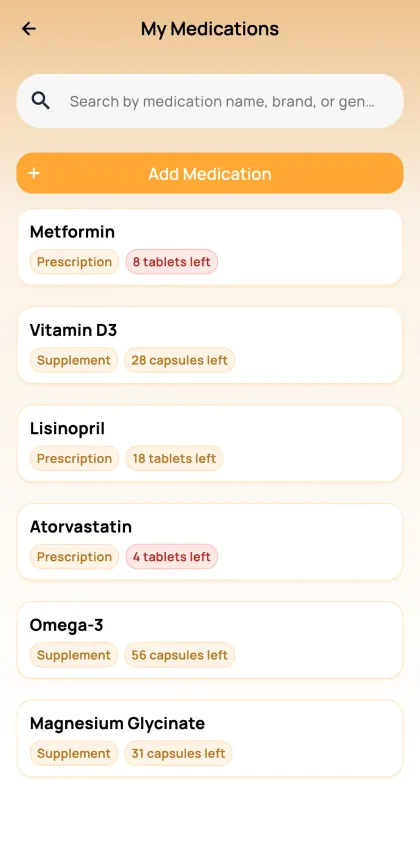
Photograph the bottle and AI fills in the name, strength, form, instructions and the rest of the label. Doses run against a weekly schedule — log each one taken, taken late, or skipped. Your stock counts down as you go, and it tells you to reorder before you run out.
Vital Signs
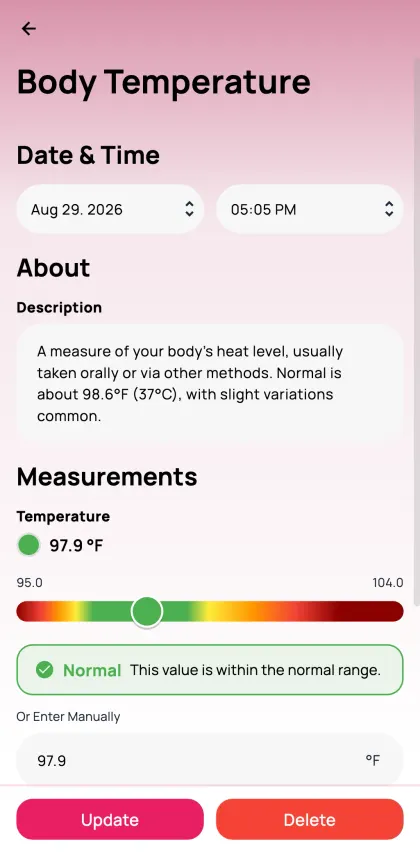
Blood pressure, pulse, respiratory rate, oxygen saturation, temperature, glucose and a full lipid panel — total cholesterol, LDL, HDL and triglycerides. The first three are read against reference ranges banded by age, from one day old to a hundred, and anything low or high comes back flagged.
Body Metrics
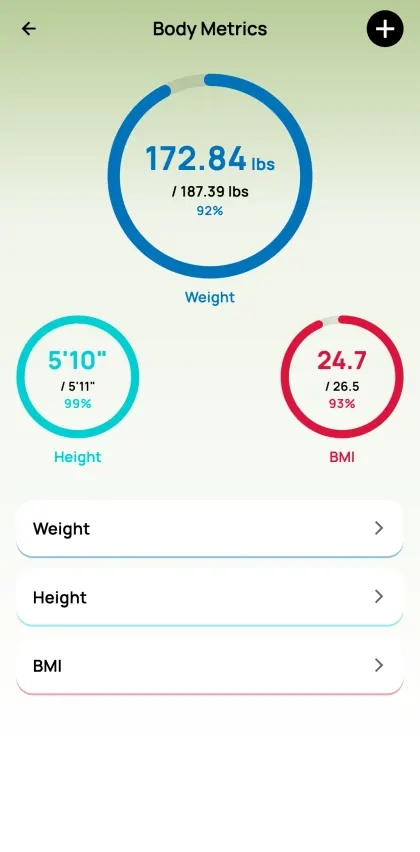
Weight, height and BMI on goal rings, with progress photos you can set side by side — two dates, two pictures, the numbers under each. Children get BMI plotted against the growth percentile curves for their age and sex.
Health
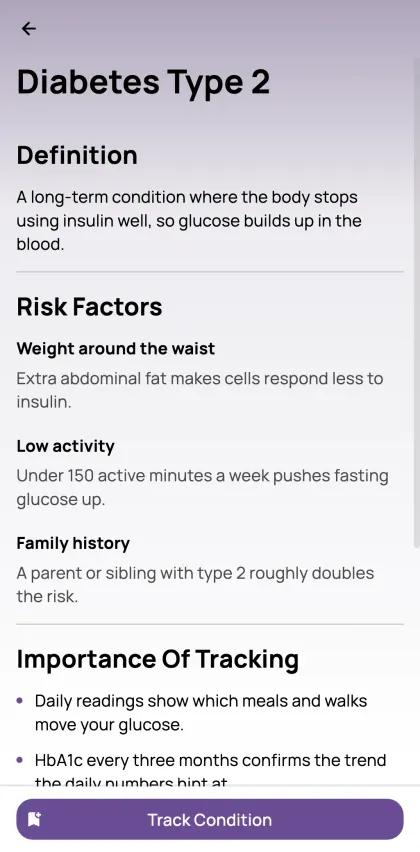
Search the condition catalogue, track a diagnosis using the measurements that actually matter for it, and attach the lab report. Each condition keeps its own reminder and its own doctor, hospital, pharmacy and insurance details.
Fasting
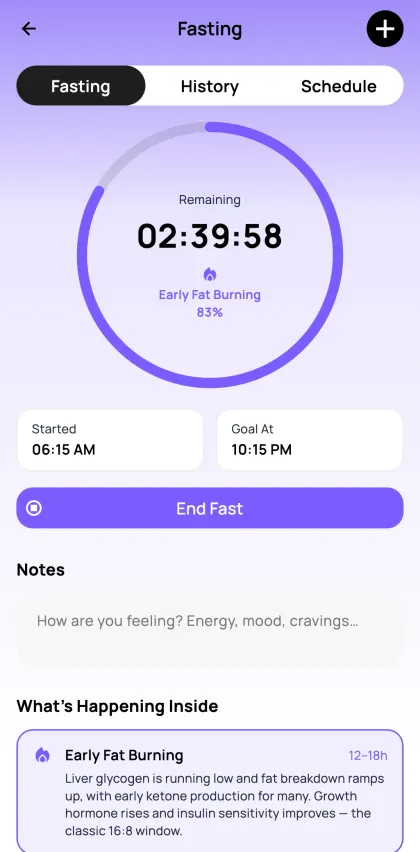
A live timer against an hours goal that keeps running when you close the app, moving through eight named stages — Fed through Prolonged Fasting — each explained as you reach it. Log a fast you already finished, and set a reminder for the next one.
Weather
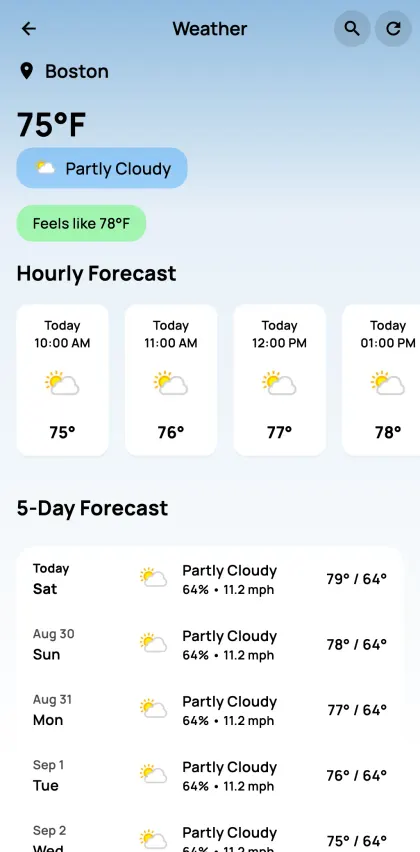
Temperature and feels-like, humidity, wind, pressure, UV, dew point and visibility from where you are — plus air quality across seven pollutants and pollen for seven species. Ten days ahead, and it can sit on a graph beside your own logs to explain a day that went sideways.
If we don’t have a tracker for it, you can make one
The thing you care about most is probably specific to you. Describe it and let AI assemble it, or build it by hand — either way you end up with a real tracker, not a note. Typed fields mean it can be charted, compared against everything else you log, and asked about later.
Describe it and let AI build it
Say what you want to keep an eye on in your own words. KeeperPal works out what needs recording and hands you a finished tracker you can log against the same day.
Or build it yourself
Prefer to be exact? Name it, add the fields you want with your own units and choices, and set its schedule. Nothing is locked afterwards — edit any of it as what you care about changes.
Health is only the beginning. Here are some of the trackers people are making.
Budget
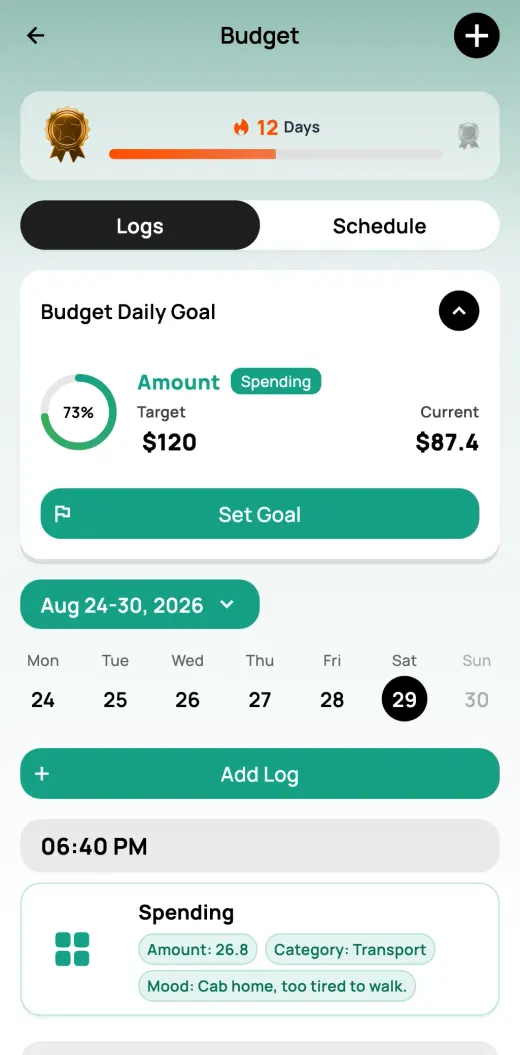
Spending with a category and the mood behind it, savings goals and their progress, and income against expenses each month.
Dog Care
Vaccinations and when the next one is due, feeds, walks and potty logs, vet visits, and what the dog costs you a month.
Mood & Mental
Mood, energy and stress out of ten, what set it off, three things you were grateful for, and which coping tool you reached for.
Dating Journal
Who paid, how the conversation went, manners, chemistry and any red flags — numbered date by date.
Skill Mastery
Practice time by skill area, how much you improved that session, projects and certifications finished, and a 30/60/90-day review.
Side Hustle
What each job earned and the hours it took, expenses with a receipt and a tax estimate, monthly totals and ROI, and target against actual.
Two ways to let AI find what connects across your trackers
The answer is rarely in one tracker. It is in what happens between them — sleep against migraines, steps against mood, spending against stress. Ask a question in plain language, or put up to five trackers on one timeline.
Until now, finding a pattern meant opening five apps, screenshotting three of them, and doing the correlation in your head on a Tuesday night. Nobody keeps that up. KeeperPal does that part — you just ask the question.
AI Assistant
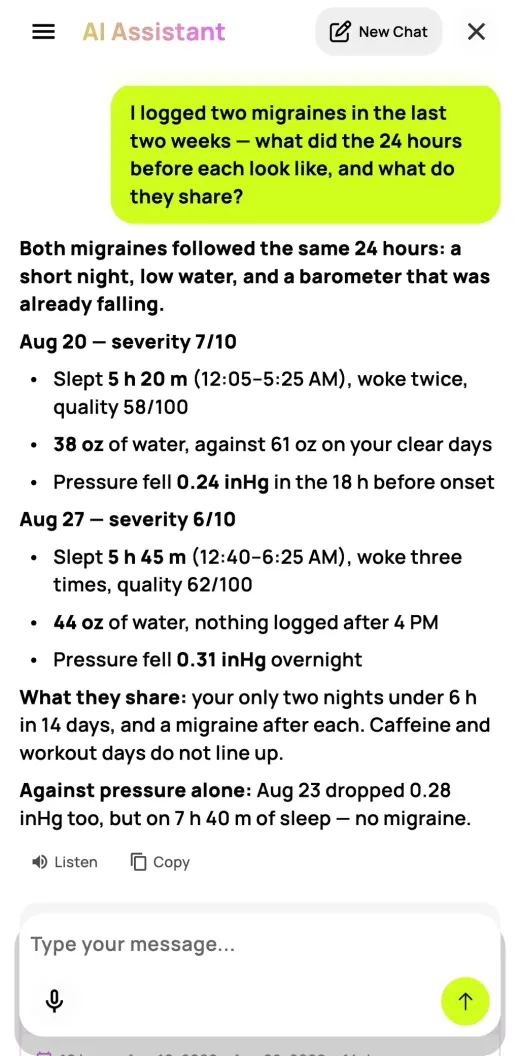
Ask about your own data the way you would ask a person. It reads every tracker at once, answers with the actual numbers, and plots the trackers behind the answer so you can see exactly what it compared.
One exchange from the app: a question about two logged migraines, answered day by day from the sleep, water, pressure and caffeine logs around them — including the day that breaks the pattern.
AI Graph Analysis
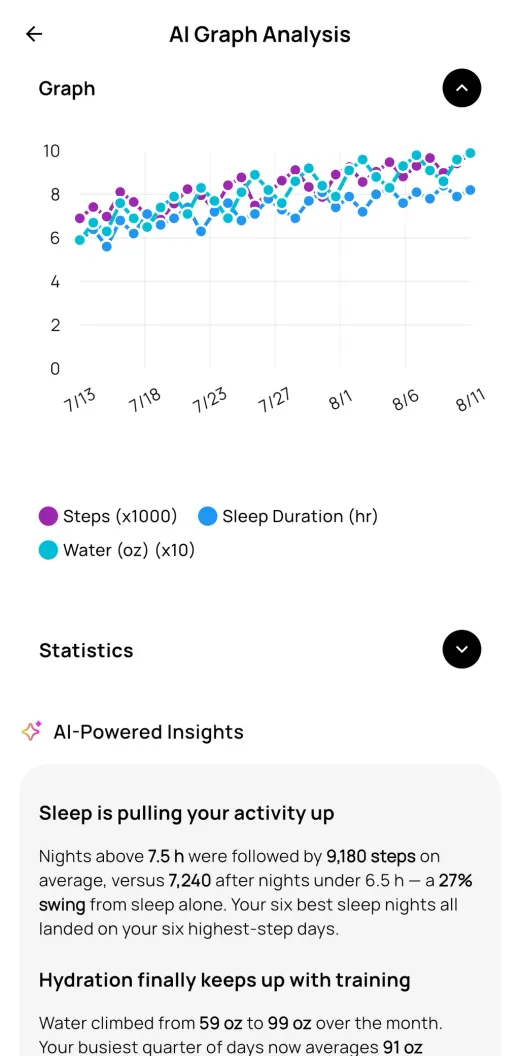
The AI names the correlation, tells you which way the trend is heading, and points out the days that break it. Ten minutes with a doctor is not much history to go on — send the graph ahead of the appointment, and the conversation starts from evidence instead of memory.
A real analysis from the app: Steps, Sleep Duration and Water on one graph, with the insight written underneath.
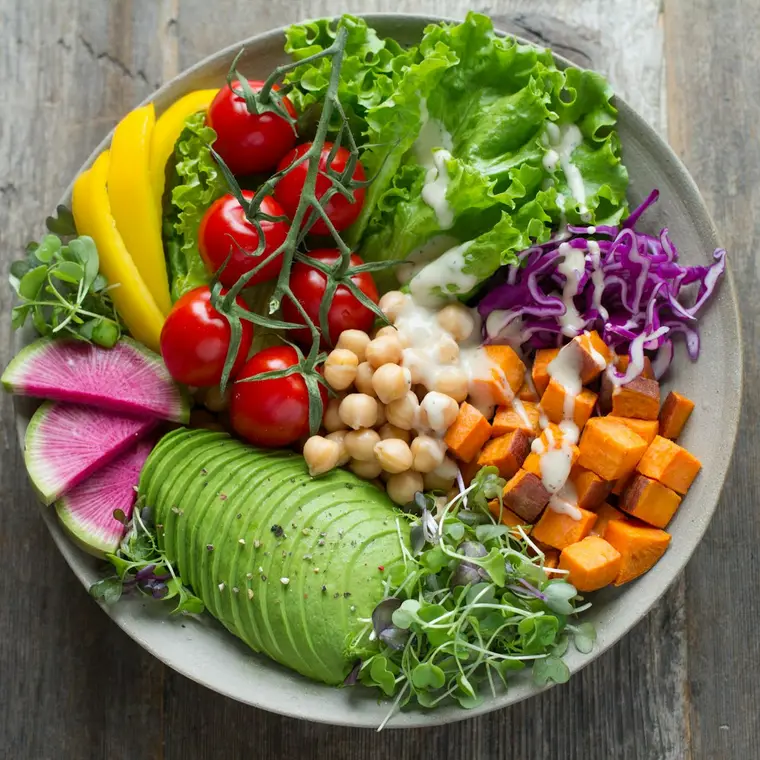
What worked for you is worth passing on
Tracking alone is how tracking dies. KeeperPal has a social side, so you can keep going alongside people working on the same thing — and hand over the setup, the recipe or the route that actually worked.
Clubs and friends for whatever you are tracking
Attach a custom tracker, a recipe, an exercise or a saved route to any post
Import one somebody else shared and it lands in your own app, ready to use
Turn a post into a Buzz — an event with its own dates that people join
Frequently asked questions
Is KeeperPal free?
Yes — most of what the app does is free to use. Downloading is free, and everyday logging in the built-in trackers stays free. Premium adds the AI — scanning a meal from a photo, and everything else that reads your record — plus live workout and sleep sessions, and the trackers you create yourself. Monthly or yearly, with 14 days free on the yearly plan.
Do I need an account?
Yes. Sign in with Apple, Google, or an email address and password — a new email account is confirmed with a six-digit code, and the same code resets a forgotten password. Your logs live on your account rather than on a single phone, so they follow you when you change device.
Which phones does it run on?
iPhone on iOS 16 or later, and Android phones on 8.0 or later. The layout adapts on tablets. On iPhone, a live workout or sleep session shows up on the Lock Screen and in the Dynamic Island. There is no Apple Watch, Wear OS or browser version.
Does it work with Apple Health and Health Connect?
It reads from them, once you switch the sync on. With your permission it pulls in steps, sleep and its stages, water, workouts, nutrition, and vitals such as heart rate, blood oxygen, respiratory rate, temperature, glucose and blood pressure. Every entry is marked with where it came from, and you can turn the sync on and off one tracker at a time. Steps keep updating in the background; the rest refreshes when you open the app. It never writes your KeeperPal logs back into Apple Health or Health Connect.
What happens to my data when I use the AI features?
We treat what you log as yours. It is never used to train AI models — not ours, not anybody else’s — and the AI only ever reads your data to answer the question you asked. Dictation uses your phone’s own speech recognition, which on iPhone may send the audio to Apple to be transcribed.
Can other people see what I track?
Only what you post. The social side shares nothing on its own: you attach a specific route, workout, recipe, meal or tracker to a post yourself, and every post carries its own audience — public, friends, or just you. Your whole profile can be private, each profile field can be public or private on its own, and you can block or report anyone.
Can I get my data out?
Yes. Fifteen trackers generate an Excel report over any date range you pick — meals, workouts, sleep, water, steps, calories, vital signs, medications, weight, height, BMI, health conditions, peptides, fasting and your custom trackers — which you can save or send anywhere through your phone’s share sheet.
Can I delete my account?
Yes, from Settings inside the app. Deletion is permanent and takes your logs with it. If you only want to leave the social side, you can delete your social profile and keep the rest of your account, though posts, comments and likes you already left stay where they are.
How do streaks work?
Log on consecutive days and the streak climbs four medal tiers: Bronze for the first three days, Silver from four, Gold from eight, Platinum from sixteen. Let more than a day pass and the count starts again. Four built-in trackers show a streak — meals, sleep, water and workouts — along with any custom tracker you switch them on for.
What languages does the app support?
English, Spanish, Portuguese, and Chinese in both Simplified and Traditional — and we are working on more.
 If you’re young
  If you’re older
  If you have a condition







What worked for you is worth passing on
Tracking alone is how tracking dies. KeeperPal has a social side, so you can keep going alongside people working on the same thing — and hand over the setup, the recipe or the route that actually worked.